
Waiting for your vehicle plate can be frustrating. After registering a new vehicle or completing a plate-related transaction, many vehicle owners want to know one simple thing: Where is my plate, and when can I get it?
LTO Plate Tracker can help vehicle owners check available information about their plate request without making unnecessary trips to an LTO office. Instead of spending time in traffic or waiting in a long line just to ask for an update, you can first check the available information online.
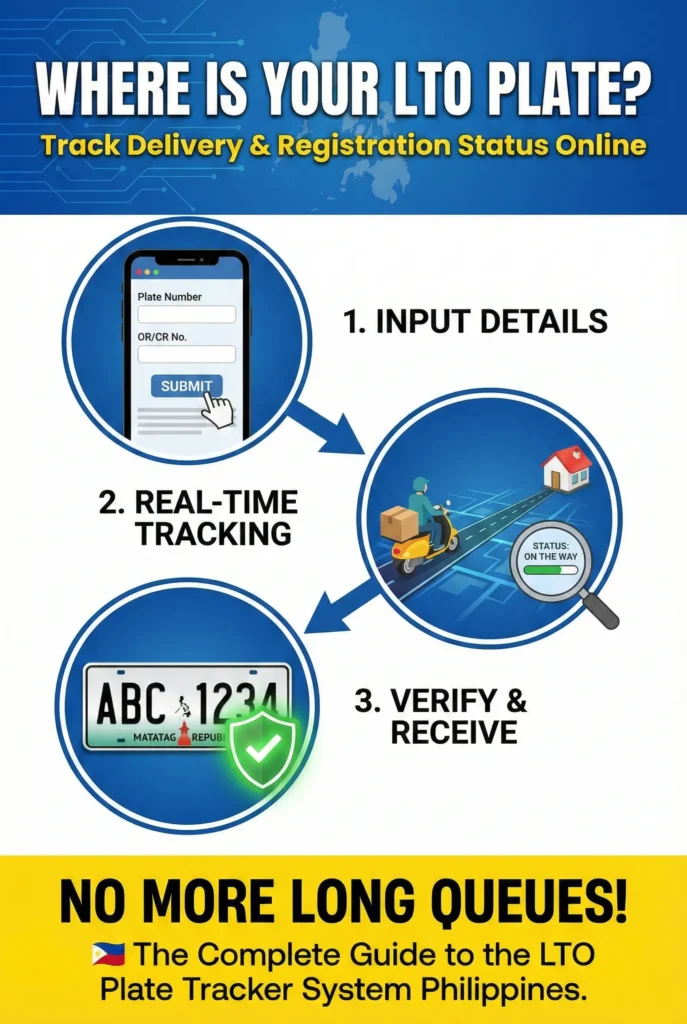
What Is an LTO Plate Tracker?
An LTO Plate Tracker is a tool used to check the status of a vehicle license plate. It can help you find out whether your plate information is already available and whether there is an update related to its release, delivery, or pickup.
For a vehicle owner, this can make the waiting process easier. You do not have to keep guessing whether your plate is ready or still being processed.
However, it is important to understand that a plate tracker is mainly for plate-related information. It should not be treated as a complete replacement for every LTO service.
If you need help with registration renewal, driver’s license concerns, ownership documents, or another LTO transaction, you may need to use the specific service made for that purpose.
You Can Also Read : LTO Tracker for Vehicles Plate Number Delivery
Why Do Vehicle Owners Check Their Plate Status?
A plate number is an important part of your vehicle’s identity. When you are waiting for a new plate, not knowing its status can become stressful.
Checking the status can help you:
- Know if there is already an update on your plate.
- Avoid unnecessary visits to an LTO office.
- Prepare for pickup or delivery when your plate becomes available.
- Check your information before contacting LTO about a problem.
For new vehicle owners, plate tracking is especially useful because the physical plate may not be available at the same time as the vehicle registration.
What Information Do You Need?
Before checking your plate status, keep your vehicle documents close to you.
Depending on the tracking process available to you, you may need your:
| Information | Why it may be needed |
| Plate Number | Identifies your vehicle plate |
| MV File Number | Helps identify the vehicle record |
| OR/CR details | Useful for checking your vehicle information |
| Vehicle details | Helps confirm you are checking the correct vehicle |
Do not guess your vehicle information. Enter the details exactly as they appear on your documents.
What Is an MV File Number?
The MV File Number is a vehicle-related reference number connected with your LTO record.
If the tracking page asks for an MV File Number instead of a plate number, use the number from your vehicle documents. Check it carefully before submitting the form.
A small typing mistake can cause the system to return no result even when your record exists.
How to Check Your LTO Plate Number Status Online
The exact screen may change over time, but the basic process is simple.
Step 1: Open the Plate Tracking Service
Start with the correct LTO online service or tracking page.
Be careful when searching online because many websites use similar names. Before entering personal or vehicle information, make sure you are using a trusted and appropriate website.
Step 2: Enter Your Vehicle Information
Enter the plate number or other information requested by the tracking form.
Take a moment to check the details before continuing.
If the form asks for a specific number format, follow the instructions shown on the page.
Step 3: Submit the Search
Click the search, check, track, or submit button shown on the page.
The system will process the information you entered and show the available result.
Step 4: Read the Result
If a record is available, check the status carefully.
Your result may tell you whether the plate is still being processed, already available, or has moved to another stage.
If no record appears, do not panic. There are several possible reasons for this.
You Can Also Read ; LTO Tracker Plate Number Status
What Do LTO Plate Status Updates Mean?
Status wording can be different depending on the system, but the general idea is easy to understand.
| Status | Simple meaning |
| Processing | Your plate request is still being handled |
| Available | The plate may already be available |
| Issued | The plate has been released or recorded as issued |
| For Delivery | The plate is moving through the delivery process |
| For Pickup | The plate may be ready for collection |
| No Record Found | No matching information was found |
Always read the complete message shown by the tracking service instead of relying only on the status title.
What Does “No Record Found” Mean?
Seeing “No Record Found” can be confusing, but it does not automatically mean that something is wrong with your vehicle.
There are a few things you should check first.
- Check your plate number. Make sure every letter and number is correct.
- Check your MV File Number. If you are using this number, compare it with your vehicle documents.
- Check the timing. If your vehicle or plate transaction was recently completed, the information may not be available yet.
- Check the correct service. Some LTO concerns require a different online service, so make sure you are using the right option.
- If you have checked everything and still cannot find your record, contacting the appropriate LTO office is the safest next step.
How Long Does an LTO Plate Take?
There is no single waiting period that applies to every vehicle.
Plate availability can depend on the vehicle, transaction, location, processing stage, and other factors. Because of this, it is better to check the current status of your own plate instead of depending on a fixed number of days.
If your status has not changed for a long time, keep your registration documents available and contact LTO for further information.
LTO Plate Delivery and Pickup
When your plate becomes available, the next step may involve delivery or pickup depending on the applicable process.If delivery is available, make sure the information connected with your request is correct.
If pickup is required, follow the instructions given for the location where the plate is available.
Do not visit an office simply because you assume the plate is ready. Check the available status and instructions first whenever possible.
What About Motorcycle Plates?
Motorcycle owners can also have questions about plate availability and delivery.
The process may not always be exactly the same as it is for private cars. Motorcycle plate concerns can depend on the registration history and the type of plate involved.
If you own a motorcycle and your plate has not arrived, first check the available plate information. If the result does not match your situation, contact the appropriate LTO office and keep your registration documents with you.
What If You Are Still Using a Temporary Plate?
Some vehicle owners may still be waiting for their permanent physical plate and may have a temporary plate arrangement.A temporary plate should not be confused with the final license plate.
If you are waiting for your permanent plate, keep your vehicle documents safe and follow the current requirements that apply to your vehicle.If you are unsure whether your temporary plate is still acceptable for your situation, confirm the current requirements with LTO rather than relying on old information from social media or random websites.
Common LTO Plate Tracking Problems
Online plate tracking is simple, but users can still run into problems.
Wrong information
One incorrect number can prevent a result from appearing.
New vehicle registration
If your vehicle was registered recently, your plate information may not be available immediately.
Information has not been updated
Sometimes an online record may take time to reflect a change.
Using the wrong number
Your plate number, MV File Number, OR number, and CR information are not necessarily interchangeable. Use the information specifically requested by the tracking service.
Website or system problem
If the tracking page is temporarily unavailable, try again later. If the problem continues, use the appropriate official LTO support channel.
How to Avoid Problems When Tracking Your Plate
A few simple habits can make the process easier.Keep your OR/CR and other vehicle documents in a safe place. You may need them when checking your information or contacting LTO.
Always double-check the numbers before submitting a search. Avoid copying information from an old message or an unofficial source if you are not sure it is correct.
Most importantly, do not provide sensitive information to websites that you do not trust.
Is an LTO Tracker Website the Official LTO Website?
This is an important point for vehicle owners.Not every website that uses the words LTO Tracker is operated by the Land Transportation Office.Some websites are independent information platforms that explain LTO procedures and help users understand how online services work.
An independent website should not be confused with a government website.
If you need to complete an official transaction or provide sensitive personal information, make sure you are using the appropriate official LTO service.
LTO Plate Tracker and Vehicle Registration Are Different
Many people search for plate tracking when they actually need information about vehicle registration.These are related, but they are not exactly the same thing.Plate tracking focuses on the status of your plate.
Vehicle registration covers a wider range of information and requirements connected with registering and legally operating your vehicle.If you want to know whether your registration needs renewal or need help with another registration concern, use the service intended for that purpose.Do not assume that a plate tracking result contains your complete vehicle record.
Conclusion
Waiting for an LTO plate does not have to mean repeatedly visiting an office just to ask for an update. Using the available plate tracking service can give vehicle owners a simple way to check whether there is information available about their plate.
The most important part is entering the correct vehicle information and understanding what the result means. If you see “No Record Found,” check your details first and give recently processed transactions enough time to appear.